
Friday, 19 July 2013


Saturday, 13 July 2013
Motorola Milestone hard reset
Motorola Milestone hard reset
Motorola Milestone Soft reset

Crash recovery - Restarting Motorola Milestone XT720
If your phone stops responding to touches and key presses, try a quick reset. Remove the back cover and battery, then replace and switch your phone on
or
left Shift+right Alt+Delete = restart Motorola Milestone
 +
+  +
+ 
Motorola Milestone Hard reset
To reset your phone to factory settings and erase all
the data on your phone, touch
 Menu > Settings
> Privacy > Factory data reset > Reset phone.
Warning: All data on your phone will be deleted.
Motorola Milestone Hard reset using keys
Power off device. Press kamera key + power key for about 10-12 sec (even 15 sec) (You will see Motorola logo then a yellow exclamation point in a white triangle.)
Press both (1st) Volume UP + (then) camera key in this order for Android System Recovery menu

Select Wipe / Factory reset with Volume down key (or with D pad) then press POWER key (or CENTER D Pad) to hard reset Motorola Milestone.


BONUS: Motorola Milestone bootloader
Device off: D-PAD + POWER key
Motorola DEFY+ hard reset
Motorola DEFY+ hard reset
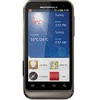
Motorola DEFY+ hard reset
To reset your Motorola phone to factory settings and erase all the data on your phone, touch Menu > Settings> Privacy > Factory data reset > Reset phone.Defy won't power ON - Testing the battery
Plug in Defy plus ME525+ to the supplied wall charger and into an electrical outlet (not USB port).
In 30 seconds Defy+ should display a battery meter indicator. If the battery is under 5% yo won't be able to power on your phone.
If you do not see the battery meter after 30 seconds, press the Power Key and Volume down key simultaneously with the device plugged in and hold them for about 10 seconds. Once the display lights up you can let go and monitor the battery meter. The battery meter will go away within a minute and you will be required to press the Volume Key periodically to monitor the meter.
Check Defy plus firmware or software update
Press the Menu key from the Home Screen.
Tap Settings. Tap About phone. Tap System updates.
Commtiva Z71 hard reset
Commtiva hard reset
Commtiva Z71 hard reset

Commtiva Z71 hard reset
With the phone turned off, press both VOLUME UP Camera + buttons, and press POWER ON key for a few seconds.
To enter Z71 FTM mode
With the phone turned off, press both VOLUME DOWN + UP buttons, then press POWER ON key for a few seconds.Bluepanther Thunder hard reset
Bluepanther Thunder hard reset
Bluepanther Thunder Android 2.2 hard reset
With the device off press VOLUME DOWN + POWER together >You will see a Google logo and TUX the unix/linux penguin then ANDROID system recovery menu appears
in RECOVERY MENU > PRESS 4way pad to select factory default menu item, then press VOLUME DOWN (-) to do a Bluepanther Thunder FACTORY reset.
or to CANCEL select "Do nothing and quit" and Press Back key. See images... :) Don't forget to RECOMMEND my site if you find it useful.


for FTM mode ???
Press VOLUME UP (+) + POWER together (Blue screen with RED bar)
To quit press and hold POWER for 5sec.
Subscribe to:
Posts (Atom)